
 shipping over $80.00 -



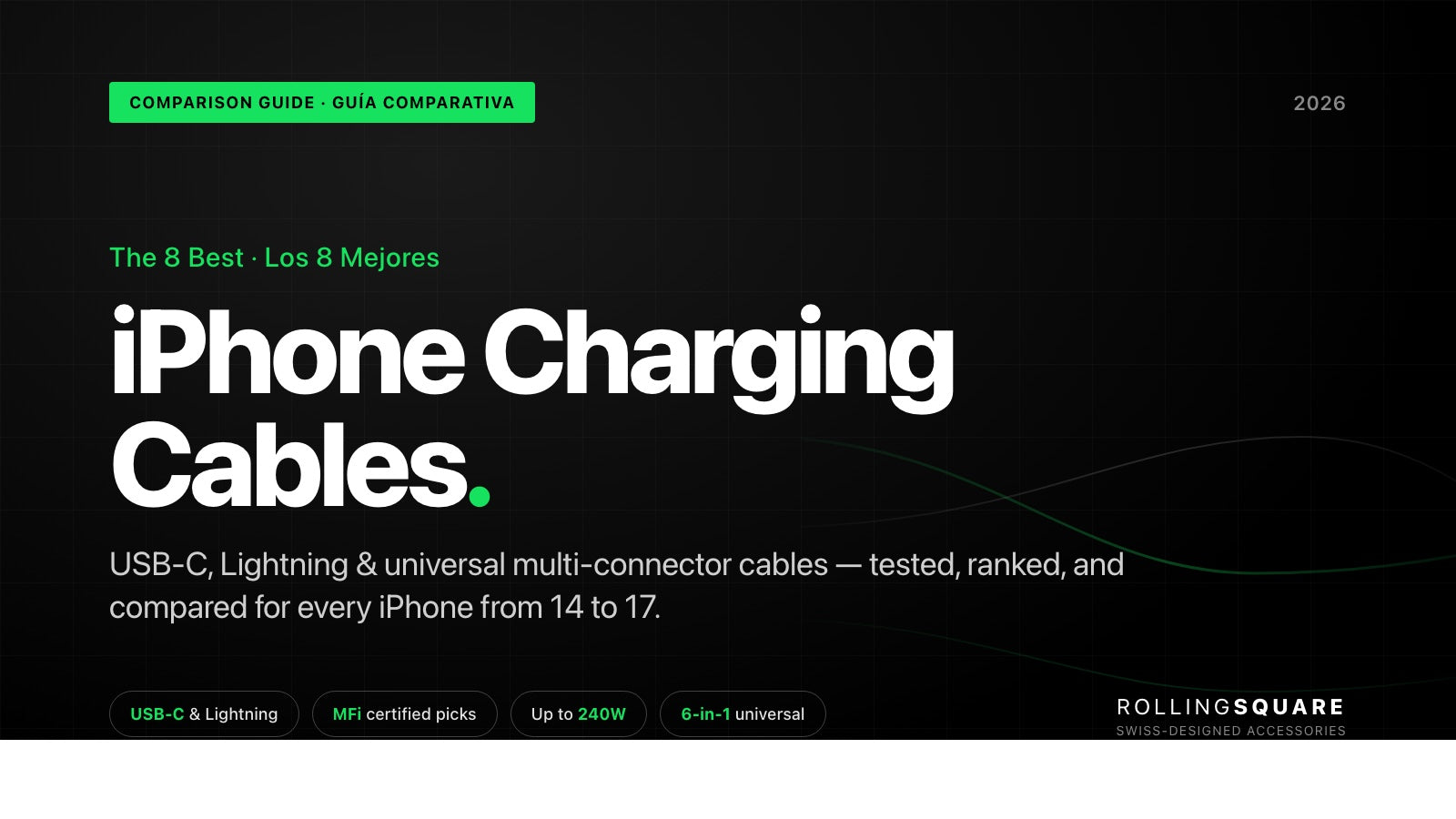
The 8 Best iPhone Charging Cables in 2026: Comparison Guide
A comprehensive comparison of the 8 best iPhone charging cables for 2026 — covering USB-C, Lightning, fast-charging speeds, durability, and the universal multi-connector options that replace your entire cable drawer.
Apple's transition to USB-C, which began with the iPhone 15 in 2023, has left millions of households with a mix of Lightning and USB-C devices. Your iPhone 16 uses USB-C, but your sister's AirPods still need Lightning. The family's older iPad too. The result: a drawer full of cables that aren't always interchangeable.
Before buying yet another cable, it's worth running a cable audit. The question isn't just which cable has the best price — it's how many cables each option can replace in your daily kit. We've analyzed the 8 best iPhone charging cables for 2026, evaluating durability, charging speed, compatibility, and portability to help you make the right call.
- Which iPhone models use Lightning vs. USB-C and what cable to buy for each
- USB-C PD fast charging requirements and watts needed by model
- The 8 best charging cables for 2026 with full specs and price ranges
- A quick-reference comparison table covering all 8 cables
- How to choose: speed, durability materials, length, universal compatibility
- Five honest FAQs on MFi certification, mixed-generation households, and length
What Cable Does Your iPhone Need in 2026?
An iPhone charging cable is the accessory that connects your Apple device to a power source for charging and data transfer. In 2026, the cable you need depends on which iPhone model you own.
The Lightning to USB-C transition: which models use which connector
Apple kept the Lightning connector for over a decade, from the iPhone 5 in 2012 through the iPhone 14 in 2022. With the iPhone 15, Apple adopted USB-C as the standard connector, and the entire current line (iPhone 15, 16, and 17) now uses USB-C.
| iPhone Model | Connector Type | Launch Year |
|---|---|---|
| iPhone 5 to iPhone 14 | Lightning | 2012-2022 |
| iPhone 15 / 15 Pro | USB-C | 2023 |
| iPhone 16 / 16 Pro | USB-C | 2024 |
| iPhone 17 / 17 Pro / iPhone Air | USB-C | 2025 |
If all your Apple devices are recent (iPhone 15 or later), a USB-C to USB-C cable is enough. But if your household pairs an iPhone 14 with Lightning and an iPhone 16 with USB-C, you need a more versatile solution.
USB-C to Lightning vs. USB-C to USB-C vs. USB-A to Lightning
Each connector combination has its moment of use:
- USB-C to USB-C: for iPhone 15 and later. Supports fast charging and high-speed data transfer.
- USB-C to Lightning: for iPhone 14 and earlier connected to a modern USB-C charger. Enables Power Delivery fast charging.
- USB-A to Lightning: for connecting older iPhones to traditional USB-A ports (car chargers, older computers, wall adapters).
For households with multiple device generations, a cable with interchangeable connectors removes the need to carry three different cables. At Rolling Square we designed the inCharge XL with this philosophy: a single 6-in-1 cable that covers USB-C, Lightning, Micro-USB, and USB-A to solve the compatibility dilemma.
MFi certification: what it is and why it matters
MFi stands for "Made for iPhone/iPod/iPad" and is Apple's licensing program for third-party accessories. According to Apple's official documentation, MFi-certified cables have passed rigorous compatibility and safety tests.
A non-MFi cable may work initially but carries risks: on-screen warning messages ("This accessory is not supported"), slow or interrupted charging, and in extreme cases, damage to the device port. MFi certification is not just a decorative seal — it's a guarantee that the cable meets Apple's electrical standards.
The 8 Best iPhone Charging Cables in 2026
We evaluated each cable on four criteria: charging speed, material durability, connector compatibility, and portability. We also considered how many cables each option can replace in your daily kit.
1 Anker PowerLine III Flow USB-C to Lightning — Best for Daily Use
The Anker PowerLine III Flow has earned its reputation as one of the most comfortable cables to use. Its silicone finish is soft to the touch and, unlike traditional PVC cables, doesn't tangle when stowed in a pocket or backpack.
- Connector: USB-C to Lightning
- Fast charging: Yes, with Power Delivery (requires 20W+ charger)
- Durability: 25,000 bend cycles, 100 kg tensile strength
- Lengths available: 3 ft and 6 ft
- MFi: Yes
- Approximate price: ~$16-$20 USD
- Best for: iPhone 14 or earlier users looking for a daily cable that won't tangle
Pros: Soft anti-tangle texture, MFi certified, color variety. Cons: Lightning only, no USB-C to USB-C variant in this line.
2 Rolling Square inCharge XL — Best Universal Cable Our Pick
The inCharge XL is the only cable on this list with 6 different charging combinations. In a single product it combines USB-C, Lightning, Micro-USB, and USB-A — covering virtually any device you have at home or in the office.
- Connector: 6-in-1 (USB-C, Lightning, Micro-USB, USB-A)
- Fast charging: Up to 100W via USB-C to USB-C, plus Apple fast charging up to 27W via USB-C to Lightning
- Durability: Aramid-fiber braided nylon, 200 braided copper strands, zinc-aluminum alloy connectors
- Lengths available: 1 ft (30 cm), 6.6 ft (2 m), and 10 ft (3 m)
- Data transfer: 480 Mbps (USB 2.0)
- Price: From $29.90 USD
- Best for: Travelers, multi-generation households, anyone reducing their cable kit to a single piece
Pros: 6 charging combinations replace up to 4 different cables. Winner of 4 CES Innovation Awards. Featured by Macworld in their roundup of the best Lightning cables for its 6-in-1 versatility. Built with aramid fiber (the same material used in body armor). Available in three lengths for any scenario. Cons: Integrated adapter heads can feel slightly bulkier than a single-connector cable.
inCharge XL — One cable. Six connections. 240W.
Replaces up to four single-purpose cables in your bag. Aramid fiber braiding rated for thousands of bend cycles. Three lengths (1 ft / 6.6 ft / 10 ft) for desk, travel, and long-reach setups. Includes magnetic desk support and silicone travel pouch with the 6.6 ft and 10 ft versions.
3 Apple USB-C Woven Charge Cable — Best Official Option for iPhone 15/16/17
Apple's official woven-design cable is the most direct option for buyers who want full compatibility guarantees. Available in 60W (1 m) and 240W (2 m) versions, this cable supports fast charging and USB 2 data transfer.
- Connector: USB-C to USB-C
- Fast charging: Up to 60W or 240W depending on model
- Durability: Resistant woven design
- Lengths available: 1 m (3.3 ft) and 2 m (6.6 ft)
- Approximate price: $19 USD (1 m, 60W) / $29 USD (2 m, 240W)
- Best for: iPhone 15 or later users who prefer official Apple accessories
Pros: Guaranteed compatibility, premium woven design, 240W support on the 2 m model. Cons: USB-C to USB-C only, premium price for a single connector type, no charger included.
4 Belkin BoostCharge Pro Flex USB-C to Lightning — Best Premium Anti-Tangle Cable
Belkin has been positioned in the premium Apple cable segment for years. The BoostCharge Pro Flex pairs a double-braided nylon exterior with internal silicone tech that makes it flexible and tangle-resistant.
- Connector: USB-C to Lightning
- Fast charging: Yes, PD up to 20W (iPhone 12 from 0 to 50% in 25 minutes)
- Durability: 30,000 bend cycles (30× a standard PVC cable)
- Lengths available: 1 m, 2 m, and 3 m
- MFi: Yes
- Approximate price: ~$25-$35 USD
- Best for: Users who prioritize cable organization and aesthetics, with Lightning devices
Pros: Includes magnetic cable management system, exceptional durability, color and length variety. Cons: Lightning only, premium price.
5 Nomad Kevlar USB-C Cable — Most Durable for Demanding Travelers
Nomad has built its reputation on a simple premise: make cables that don't break. Its USB-C cable with Kevlar exterior is one of the most resistant options on the market, designed to withstand intensive use by frequent travelers.
- Connector: USB-C to USB-C
- Fast charging: Up to 240W with USB-C PD
- Durability: Double-braided Kevlar, electroplated metal connectors
- Lengths available: 0.3 m, 1.5 m, and 3 m
- Approximate price: ~$30-$40 USD
- Best for: Frequent travelers with USB-C devices who need a cable that handles tough conditions
Pros: DuPont Kevlar for extreme durability, 240W support, premium finish. Cons: USB-C only, doesn't support Lightning devices directly, high price for a single-type cable.
6 Amazon Basics USB-C to Lightning — Best Budget Option
If you need basic functionality at an accessible price, Amazon Basics cables deliver without pretensions. They are MFi-certified cables that support Power Delivery fast charging and 480 Mbps data transfer.
- Connector: USB-C to Lightning
- Fast charging: Yes, PD (iPhone to 50% in 30 min with 18W+ charger)
- Durability: Braided nylon, up to 10,000 bend cycles (braided model)
- Lengths available: 3 ft, 6 ft, and 10 ft
- MFi: Yes
- Approximate price: ~$8-$15 USD
- Best for: Buyers who need functional cables in multiple locations without overspending
Pros: Competitive price, MFi certification, length variety, Amazon warranty. Cons: Durability lower than premium options, basic design, Lightning only.
7 UGREEN USB-C to Lightning Braided — Best Value for Money
UGREEN sits at a midpoint between budget and premium options. Its braided USB-C to Lightning cable offers MFi certification, PD fast charging, and solid construction with braided nylon and aluminum connectors.
- Connector: USB-C to Lightning
- Fast charging: Yes, PD up to 20W
- Durability: 15,000 bend cycles, braided nylon, aluminum connectors
- Lengths available: 3 ft and 6 ft
- MFi: Yes
- Approximate price: ~$10-$14 USD
- Data transfer: 480 Mbps
- Best for: Buyers who want above-average quality without paying premium prices
Pros: Hard-to-beat value, MFi certified, durable braided finish, aluminum-reinforced connector. Cons: Lightning only, no USB-C to USB-C version in the same line.
8 Rolling Square inCharge X — Best Emergency Keyring Cable Our Pick
The inCharge X shares the inCharge XL's 6-in-1 philosophy in a keyring format. At only 23 grams, it clips to your keys so you're never without a charging solution.
- Connector: 6-in-1 (USB-C, Lightning, Micro-USB, USB-A)
- Fast charging: Up to 100W via USB-C to USB-C, Apple fast charging up to 27W
- Durability: Aramid-fiber braided nylon, metal connectors, neodymium magnets
- Length: 5.7 inches (14.5 cm) extended
- Data transfer: 480 Mbps
- Weight: 23 grams (0.81 oz)
- Price: $29.90 USD
- Best for: Anyone who wants a cable always on hand for emergencies, without adding pocket bulk
Pros: Keyring size (always with you), 6 charging combinations, 100W of power in a tiny cable, magnetic foldable design. Cons: 14.5 cm length limits use for comfortable desk or sofa charging.
Quick Comparison Table
| Cable | Connector Type | Max Charge | Lengths | MFi | Price (USD) | Best For |
|---|---|---|---|---|---|---|
| Anker PowerLine III Flow | USB-C to Lightning | PD | 3 ft, 6 ft | Yes | ~$16-$20 | Daily use |
| Rolling Square inCharge XL | 6-in-1 (USB-C, Lightning, Micro-USB, USB-A) | 100W | 1 ft, 6.6 ft, 10 ft | N/A | From $29.90 | Universal versatility |
| Apple USB-C Woven | USB-C to USB-C | 240W | 3.3 ft, 6.6 ft | N/A | $19-$29 | Official option |
| Belkin BoostCharge Pro Flex | USB-C to Lightning | PD 20W | 3.3 ft, 6.6 ft, 10 ft | Yes | ~$25-$35 | Premium anti-tangle |
| Nomad Kevlar USB-C | USB-C to USB-C | 240W | 1 ft, 5 ft, 10 ft | N/A | ~$30-$40 | Extreme durability |
| Amazon Basics USB-C to Lightning | USB-C to Lightning | PD | 3 ft, 6 ft, 10 ft | Yes | ~$8-$15 | Tight budget |
| UGREEN USB-C to Lightning | USB-C to Lightning | PD 20W | 3 ft, 6 ft | Yes | ~$10-$14 | Value for money |
| Rolling Square inCharge X | 6-in-1 (USB-C, Lightning, Micro-USB, USB-A) | 100W | 5.7 in | N/A | $29.90 | Emergency / keyring |
The key difference is visible in the "Connector Type" column: most cables serve a single connection type, while the Rolling Square inCharge XL and inCharge X cover six combinations. For households with mixed-generation devices, that means replacing up to four cables with one.
How to Choose the Right Charging Cable for Your iPhone
Fast charging: how many watts do you need?
According to Apple Support, you can fast-charge an iPhone 8 or later up to 50% in roughly 30 minutes. For the latest models, the optimal wattage varies:
- iPhone 15/16: USB-C with a 20W or higher charger for standard fast charging
- iPhone 17/17 Pro/17 Pro Max: With a 40W or higher adapter, you reach 50% in just 20 minutes
- iPhone Air: Fast charging capped at 20W, same as earlier generations
- iPhone 14 and earlier: USB-C to Lightning cable with 20W PD charger
A cable that supports Power Delivery is essential. The USB-C to USB-C cables on this list support PD natively. The Rolling Square inCharge XL delivers up to 100W via USB-C and Apple fast charging up to 27W via Lightning, covering both scenarios in one cable.
Durability: materials that last
Construction materials determine how long a cable lasts before failing:
- Braided nylon: Resistant to tangling and abrasion. Standard for mid- and high-end cables. UGREEN and Amazon Basics use it.
- Silicone: Flexible and soft. Doesn't tangle. Anker and Belkin set the benchmark.
- Kevlar / aramid fiber: The most resistant material, used in body armor. Nomad and Rolling Square integrate it for maximum durability.
- PVC: The most basic and economical material. Tangles easily and has a short lifespan.
Bend cycles are the key metric: a standard PVC cable handles roughly 1,000 cycles, while the cables on this list range from 10,000 (Amazon Basics) to 30,000 (Belkin).
Portability: from desk to keyring
The ideal length depends on how and where you use the cable:
- 1 ft (30 cm): Perfect for connecting your phone to a power bank in your backpack. The inCharge XL 1 ft version is ideal for this.
- 5-6 ft (1.5-2 m): The most versatile length for desk, nightstand, or car.
- 10 ft (3 m): For charging from the sofa or bed when the outlet is far away.
- Keyring format: For people who never want to be without a cable. Rolling Square designs its keyring cables with an "always with you" philosophy — like the inCharge X that weighs only 23 grams and clips to your keys.
Universal compatibility: one cable for everything?
In a household where Lightning iPhones, USB-C iPhones, Android tablets, Bluetooth headphones with Micro-USB, and laptops all coexist, cable multiplication becomes a real problem. A multi-connector cable like the inCharge XL can simplify this scenario: its 6 combinations cover USB-C to USB-C (for new iPhones and laptops), USB-C to Lightning (for older iPhones), USB-A to USB-C, USB-A to Lightning, and Micro-USB in both directions.
Frequently Asked Questions About iPhone Charging Cables
What is the best cable to fast-charge an iPhone?
For fast charging you need a cable that supports USB-C Power Delivery with a charger of at least 20W. If your iPhone is model 15 or later, a USB-C to USB-C cable is enough. For iPhone 14 and earlier, you need USB-C to Lightning with MFi certification. The Rolling Square inCharge XL covers both cases in one cable.
Can I use the same cable for an iPhone 14 and an iPhone 16?
Not with a conventional cable, since the iPhone 14 uses Lightning and the iPhone 16 uses USB-C. However, a 6-in-1 cable like the Rolling Square inCharge XL includes both connectors, letting you charge either device with the same cable from any USB-C or USB-A power source.
Which iPhone cable is compatible with all recent models?
No single-connector cable works with every model. The split between Lightning (iPhone 14 and earlier) and USB-C (iPhone 15 and later) forces you to carry two cables, unless you choose a multi-connector solution. The inCharge XL offers 6 charging combinations covering both standards in one cable.
Are cheap iPhone cables safe?
Safety primarily depends on MFi certification. An MFi-certified cable has been tested and approved by Apple to ensure compatibility and electrical protection. Non-certified cables can trigger error messages, interrupted charging, or in extreme cases, overheating. If you buy a budget cable, verify it has MFi certification.
What length of charging cable do I need?
It depends on your primary use: 1 ft (30 cm) is ideal for connecting to a power bank during travel; 6 ft (1.8 m) is the most versatile length for desk and nightstand; 10 ft (3 m) offers maximum freedom for charging from the sofa or bed. If you want an always-available emergency cable, the keyring format (like the inCharge X at 5.7 inches) ensures you never run out of options.
Key Takeaways
- In 2026, iPhones use USB-C (iPhone 15 and later) or Lightning (iPhone 14 and earlier), so picking the right connector — or a universal cable — is essential to avoid stockpiling cables.
- MFi certification guarantees compatibility and safety with Apple devices. Look for that seal on any third-party cable you buy.
- The Rolling Square inCharge XL is the only cable on the market with 6 charging combinations (USB-C, Lightning, Micro-USB, USB-A) in a single product, ideal for households with mixed-generation devices.
- For iPhone fast charging you need a USB-C cable with Power Delivery and a charger of at least 20W. The iPhone 17 reaches 50% in just 20 minutes with a 40W adapter.
- Cables made with braided nylon, aramid fiber, or Kevlar last significantly longer than standard PVC, with bend cycles ranging from 15,000 to 30,000 versus 1,000 for a typical cable.
- The Rolling Square inCharge XL has won 4 CES Innovation Awards and was featured by Macworld in their best Lightning cables roundup.
- A cable audit can shrink your kit from 4-5 different cables to 1-2, saving space and ending the "which cable goes with which device?" confusion.
The Bottom Line
The iPhone cable ecosystem in 2026 sits at an inflection point. USB-C is now the standard for every new iPhone, but coexistence with Lightning devices will continue for years as millions of iPhones, iPads, and AirPods with Lightning connectors stay in active use.
The trend points to more power (240W cables are now common), more durability (Kevlar and aramid fiber as standard materials), and eventually the possibility of a port-free iPhone. In the meantime, the most practical solution is to simplify.
Rolling Square inCharge XL — One cable. All your devices.
Six charging combinations in a single Swiss-designed cable. Aramid-fiber braiding, three lengths, and a magnetic desk support included. Cut your travel cable kit to one — and stop digging for the right adapter.
Sources & References
- Apple Support — "Fast charge your iPhone." Updated April 2026.
- Apple Support — "iPhone 17 — Tech Specs." September 2025.
- Macworld — "Best Lightning Cables for iPhone." Updated April 2026.
- Macworld — "Rolling Square inCharge XL 6-in-1 charging cable review." November 2025.
- Rolling Square — inCharge XL product page. Brand-reported product data. Accessed April 2026.
- Rolling Square — inCharge X product page. Brand-reported product data. Accessed April 2026.
- Anker — PowerLine III Flow product page on Amazon. Accessed April 2026.
- Belkin — BoostCharge Pro Flex product page. Accessed April 2026.
- Nomad Goods — USB-C Kevlar Cable product page. Accessed April 2026.
- UGREEN — USB-C to Lightning product page on Amazon. Accessed April 2026.
- Pack Hacker — Independent review of the inCharge XL. Accessed April 2026.
Los 8 Mejores Cables Cargador para iPhone en 2026: Guía Comparativa
Una guía comparativa exhaustiva de los 8 mejores cables cargador para iPhone en 2026 — cubre USB-C, Lightning, velocidades de carga rápida, durabilidad, y las opciones universales multi-conector que reemplazan tu cajón entero de cables.
La transición de Apple a USB-C, que comenzó con el iPhone 15 en 2023, ha dejado a millones de hogares con una mezcla de dispositivos Lightning y USB-C. Tu iPhone 16 usa USB-C, pero los AirPods de tu hermano todavía necesitan Lightning. El iPad viejo de la familia también. El resultado: un cajón lleno de cables que no siempre son intercambiables.
Antes de comprar otro cable más, vale la pena hacer una auditoría de cables. No se trata solo de elegir el cable con mejor precio, sino de evaluar cuántos cables puede reemplazar cada opción en tu kit diario. Analizamos los 8 mejores cables cargador para iPhone en 2026, evaluando durabilidad, velocidad de carga, compatibilidad y portabilidad para ayudarte a tomar la decisión correcta.
- Qué modelos de iPhone usan Lightning vs. USB-C y qué cable comprar para cada uno
- Requisitos de carga rápida USB-C PD y vatios que necesita cada modelo
- Los 8 mejores cables de carga para 2026 con specs completas y rangos de precio
- Una tabla comparativa rápida con los 8 cables
- Cómo elegir: velocidad, materiales de durabilidad, longitud, compatibilidad universal
- Cinco preguntas frecuentes sobre certificación MFi, hogares mixtos, y longitud
¿Qué tipo de cable necesita tu iPhone en 2026?
Un cable cargador iPhone es el accesorio que conecta tu dispositivo Apple a una fuente de energía para cargarlo y transferir datos. En 2026, el tipo de cable que necesitas depende del modelo de iPhone que tengas.
La transición de Lightning a USB-C: qué modelos usan qué conector
Apple mantuvo el conector Lightning durante más de una década, desde el iPhone 5 en 2012 hasta el iPhone 14 en 2022. Con el iPhone 15, Apple adoptó USB-C como conector estándar, y toda la línea actual (iPhone 15, 16 y 17) ya utiliza USB-C.
| Modelo de iPhone | Tipo de conector | Año de lanzamiento |
|---|---|---|
| iPhone 5 a iPhone 14 | Lightning | 2012-2022 |
| iPhone 15 / 15 Pro | USB-C | 2023 |
| iPhone 16 / 16 Pro | USB-C | 2024 |
| iPhone 17 / 17 Pro / iPhone Air | USB-C | 2025 |
Si todos tus dispositivos Apple son recientes (iPhone 15 o posterior), un cable USB-C a USB-C es suficiente. Pero si en tu hogar conviven un iPhone 14 con Lightning y un iPhone 16 con USB-C, necesitas una solución más versátil.
USB-C a Lightning vs USB-C a USB-C vs USB-A a Lightning
Cada combinación de conectores tiene su momento de uso:
- USB-C a USB-C: para iPhone 15 y posteriores. Soporta carga rápida y transferencia de datos a alta velocidad.
- USB-C a Lightning: para iPhone 14 y anteriores conectados a un cargador USB-C moderno. Permite carga rápida con Power Delivery.
- USB-A a Lightning: para conectar iPhones antiguos a puertos USB-A tradicionales (cargadores de auto, computadoras viejas, adaptadores de pared).
Para hogares con múltiples generaciones de dispositivos, un cable con conectores intercambiables elimina la necesidad de cargar tres cables diferentes. En Rolling Square diseñamos el inCharge XL con esta filosofía: un solo cable 6-en-1 que cubre USB-C, Lightning, Micro-USB y USB-A para resolver el dilema de compatibilidad.
Certificación MFi: qué es y por qué importa
MFi significa "Made for iPhone/iPod/iPad" y es el programa de licencia de Apple para accesorios de terceros. Según la documentación oficial de Apple, los cables con certificación MFi han pasado pruebas rigurosas de compatibilidad y seguridad.
Un cable sin certificación MFi puede funcionar inicialmente, pero presenta riesgos: mensajes de advertencia en pantalla ("Este accesorio no es compatible"), carga lenta o interrumpida, y en casos extremos, daño al puerto del dispositivo. La certificación MFi no es solo un sello decorativo, es una garantía de que el cable cumple con los estándares eléctricos de Apple.
Los 8 Mejores Cables Cargador para iPhone en 2026
Evaluamos cada cable según cuatro criterios: velocidad de carga, durabilidad de materiales, compatibilidad de conectores y portabilidad. También consideramos cuántos cables puede reemplazar cada opción en tu kit diario.
1 Anker PowerLine III Flow USB-C a Lightning — Mejor para uso diario
El Anker PowerLine III Flow se ha ganado su reputación como uno de los cables más cómodos de usar. Su acabado de silicona es suave al tacto y, a diferencia de los cables de PVC tradicionales, no se enreda cuando lo guardas en un bolsillo o mochila.
- Tipo de conector: USB-C a Lightning
- Carga rápida: Sí, con Power Delivery (requiere cargador de 20W o más)
- Durabilidad: 25,000 ciclos de dobleces, resistencia de tracción de 100 kg
- Longitudes disponibles: 3 ft y 6 ft
- MFi: Sí
- Precio aproximado: ~$16-$20 USD
- Para quién es ideal: Usuarios de iPhone 14 o anterior que buscan un cable de uso diario que no se enrede
Pros: Textura suave anti-enredos, certificación MFi, variedad de colores. Contras: Solo funciona con dispositivos Lightning, no soporta USB-C a USB-C.
2 Rolling Square inCharge XL — Mejor cable universal Nuestra Elección
El inCharge XL es el único cable de esta lista con 6 combinaciones de carga diferentes. En un solo producto combina USB-C, Lightning, Micro-USB y USB-A, cubriendo prácticamente cualquier dispositivo que tengas en casa o en la oficina.
- Tipo de conector: 6-en-1 (USB-C, Lightning, Micro-USB, USB-A)
- Carga rápida: Hasta 100W por USB-C a USB-C, y carga rápida de Apple hasta 27W por USB-C a Lightning
- Durabilidad: Nylon trenzado con fibra de aramida, 200 hilos de cobre trenzado, conectores metálicos de aleación zinc-aluminio
- Longitudes disponibles: 1 ft (30 cm), 6.6 ft (2 m) y 10 ft (3 m)
- Transferencia de datos: 480 Mbps (USB 2.0)
- Precio: Desde $29.90 USD
- Para quién es ideal: Viajeros, hogares con múltiples dispositivos de distintas generaciones, usuarios que buscan reducir su kit de cables a uno solo
Pros: 6 combinaciones de carga reemplazan hasta 4 cables diferentes. Ganador de 4 premios CES Innovation Award. Incluido por Macworld en su selección de los mejores cables Lightning por su versatilidad 6-en-1. Construcción con fibra de aramida (el mismo material de los chalecos antibalas). Disponible en tres longitudes para adaptarse a cualquier escenario. Contras: Diseño con adaptadores integrados puede resultar más voluminoso que un cable de un solo conector.
inCharge XL — Un cable. Seis conexiones. 240W.
Reemplaza hasta cuatro cables de un solo propósito en tu bolso. Trenzado con fibra de aramida testado para miles de ciclos de dobleces. Tres longitudes (1 ft / 6.6 ft / 10 ft) para escritorio, viaje y configuraciones de largo alcance. Incluye soporte magnético para escritorio y estuche de silicona en las versiones de 6.6 ft y 10 ft.
3 Cable Apple USB-C Woven Charge — Mejor opción oficial para iPhone 15/16/17
El cable oficial de Apple con diseño tejido (woven) es la opción más directa para quien quiere la garantía total de compatibilidad. Disponible en versiones de 60W (1 metro) y 240W (2 metros), este cable soporta carga rápida y transferencia de datos USB 2.
- Tipo de conector: USB-C a USB-C
- Carga rápida: Hasta 60W o 240W según modelo
- Durabilidad: Diseño tejido resistente
- Longitudes disponibles: 1 m (3.3 ft) y 2 m (6.6 ft)
- Precio aproximado: $19 USD (1 m, 60W) / $29 USD (2 m, 240W)
- Para quién es ideal: Usuarios de iPhone 15 o posterior que prefieren accesorios oficiales de Apple
Pros: Compatibilidad garantizada, diseño tejido de calidad, soporte hasta 240W en el modelo de 2 metros. Contras: Solo USB-C a USB-C, precio elevado para un cable de un solo tipo de conector, no incluye cargador.
4 Belkin BoostCharge Pro Flex USB-C a Lightning — Mejor cable premium anti-enredos
Belkin lleva años posicionándose en el segmento premium de cables Apple. El BoostCharge Pro Flex combina un exterior de nylon trenzado doble con tecnología de silicona interna que lo hace flexible y resistente a enredos.
- Tipo de conector: USB-C a Lightning
- Carga rápida: Sí, PD hasta 20W (iPhone 12 de 0 a 50% en 25 minutos)
- Durabilidad: 30,000 ciclos de dobleces (30x más que un cable PVC)
- Longitudes disponibles: 1 m, 2 m y 3 m
- MFi: Sí
- Precio aproximado: ~$25-$35 USD
- Para quién es ideal: Usuarios que priorizan organización y estética del cable, con dispositivos Lightning
Pros: Sistema magnético de gestión de cable incluido, durabilidad excepcional, variedad de colores y longitudes. Contras: Solo Lightning, precio premium.
5 Nomad Kevlar USB-C Cable — Más duradero para viajeros exigentes
Nomad ha construido su reputación sobre una premisa simple: hacer cables que no se rompan. Su cable USB-C con exterior de Kevlar es una de las opciones más resistentes del mercado, pensado para soportar el uso intensivo de viajeros frecuentes.
- Tipo de conector: USB-C a USB-C
- Carga rápida: Hasta 240W con USB-C PD
- Durabilidad: Doble trenzado de Kevlar, conectores metálicos electro-enchapados
- Longitudes disponibles: 0.3 m, 1.5 m y 3 m
- Precio aproximado: ~$30-$40 USD
- Para quién es ideal: Viajeros frecuentes con dispositivos USB-C que necesitan un cable que aguante condiciones exigentes
Pros: Kevlar de DuPont para durabilidad extrema, soporte hasta 240W, acabado premium. Contras: Solo USB-C, no soporta dispositivos Lightning directamente, precio alto para un cable de un solo tipo.
6 Amazon Basics USB-C a Lightning — Mejor opción económica
Si buscas funcionalidad básica a precio accesible, los cables Amazon Basics cumplen sin pretensiones. Son cables MFi certificados que soportan carga rápida con Power Delivery y transferencia de datos a 480 Mbps.
- Tipo de conector: USB-C a Lightning
- Carga rápida: Sí, PD (iPhone a 50% en 30 min con cargador de 18W+)
- Durabilidad: Nylon trenzado, hasta 10,000 ciclos de dobleces (modelo trenzado)
- Longitudes disponibles: 3 ft, 6 ft y 10 ft
- MFi: Sí
- Precio aproximado: ~$8-$15 USD
- Para quién es ideal: Usuarios que necesitan cables funcionales en múltiples ubicaciones sin gastar demasiado
Pros: Precio competitivo, certificación MFi, variedad de longitudes, garantía de Amazon. Contras: Durabilidad inferior a opciones premium, diseño básico, solo Lightning.
7 UGREEN USB-C a Lightning Trenzado — Mejor relación calidad-precio
UGREEN ocupa un punto intermedio entre las opciones económicas y las premium. Su cable USB-C a Lightning trenzado ofrece certificación MFi, carga rápida PD y una construcción sólida con nylon trenzado y conectores de aluminio.
- Tipo de conector: USB-C a Lightning
- Carga rápida: Sí, PD hasta 20W
- Durabilidad: 15,000 ciclos de dobleces, nylon trenzado, conectores de aluminio
- Longitudes disponibles: 3 ft y 6 ft
- MFi: Sí
- Precio aproximado: ~$10-$14 USD
- Transferencia de datos: 480 Mbps
- Para quién es ideal: Usuarios que buscan calidad por encima del promedio sin pagar precio premium
Pros: Relación calidad-precio difícil de superar, MFi certificado, acabado trenzado resistente, conector reforzado con aluminio. Contras: Solo Lightning, sin versión USB-C a USB-C en la misma línea.
8 Rolling Square inCharge X — Mejor cable de emergencia para llavero Nuestra Elección
El inCharge X comparte la filosofía 6-en-1 del inCharge XL pero en un formato de llavero. Con solo 23 gramos, se engancha a tus llaves para que nunca te quedes sin solución de carga.
- Tipo de conector: 6-en-1 (USB-C, Lightning, Micro-USB, USB-A)
- Carga rápida: Hasta 100W por USB-C a USB-C, Apple Fast Charging hasta 27W
- Durabilidad: Nylon trenzado con fibra de aramida, conectores metálicos, imanes de neodimio
- Longitud: 5.7 pulgadas (14.5 cm) extendido
- Transferencia de datos: 480 Mbps
- Peso: 23 gramos (0.81 oz)
- Precio: $29.90 USD
- Para quién es ideal: Cualquier persona que quiera tener siempre un cable disponible para emergencias sin agregar volumen a su bolsillo
Pros: Tamaño de llavero (siempre contigo), 6 combinaciones de carga, 100W de potencia en un cable diminuto, diseño magnético plegable. Contras: Longitud de 14.5 cm limita su uso para carga cómoda en escritorio o sofá.
Tabla comparativa rápida
| Cable | Tipo de conector | Carga máx. | Longitudes | MFi | Precio (USD) | Ideal para |
|---|---|---|---|---|---|---|
| Anker PowerLine III Flow | USB-C a Lightning | PD | 3 ft, 6 ft | Sí | ~$16-$20 | Uso diario |
| Rolling Square inCharge XL | 6-en-1 (USB-C, Lightning, Micro-USB, USB-A) | 100W | 1 ft, 6.6 ft, 10 ft | N/A | Desde $29.90 | Versatilidad universal |
| Apple USB-C Woven | USB-C a USB-C | 240W | 3.3 ft, 6.6 ft | N/A | $19-$29 | Opción oficial |
| Belkin BoostCharge Pro Flex | USB-C a Lightning | PD 20W | 3.3 ft, 6.6 ft, 10 ft | Sí | ~$25-$35 | Anti-enredos premium |
| Nomad Kevlar USB-C | USB-C a USB-C | 240W | 1 ft, 5 ft, 10 ft | N/A | ~$30-$40 | Durabilidad extrema |
| Amazon Basics USB-C a Lightning | USB-C a Lightning | PD | 3 ft, 6 ft, 10 ft | Sí | ~$8-$15 | Presupuesto ajustado |
| UGREEN USB-C a Lightning | USB-C a Lightning | PD 20W | 3 ft, 6 ft | Sí | ~$10-$14 | Calidad-precio |
| Rolling Square inCharge X | 6-en-1 (USB-C, Lightning, Micro-USB, USB-A) | 100W | 5.7 in | N/A | $29.90 | Emergencia / llavero |
La diferencia clave es visible en la columna "Tipo de conector": mientras la mayoría de cables sirve para un solo tipo de conexión, el inCharge XL y el inCharge X de Rolling Square cubren seis combinaciones diferentes. Para hogares con dispositivos de múltiples generaciones, esto significa reemplazar hasta cuatro cables con uno solo.
Cómo elegir el cable cargador ideal para tu iPhone
Carga rápida: ¿cuántos watts necesitas?
Según Apple Support, puedes cargar rápidamente hasta el 50% de la batería del iPhone 8 o modelos posteriores en aproximadamente 30 minutos. Para los modelos más recientes, la potencia óptima varía:
- iPhone 15/16: USB-C con cargador de 20W o más para carga rápida estándar
- iPhone 17/17 Pro/17 Pro Max: Con un adaptador de 40W o más, alcanzas el 50% de carga en solo 20 minutos
- iPhone Air: Carga rápida limitada a 20W, igual que generaciones anteriores
- iPhone 14 y anteriores: Cable USB-C a Lightning con cargador PD de 20W
Un cable que soporte Power Delivery es esencial. Los cables USB-C a USB-C de esta lista soportan PD de forma nativa. El inCharge XL de Rolling Square ofrece hasta 100W por USB-C y carga rápida de Apple hasta 27W por Lightning, cubriendo ambos escenarios.
Durabilidad: materiales que duran
Los materiales de construcción determinan cuánto dura un cable antes de fallar:
- Nylon trenzado: Resistente a enredos y abrasión. Es el estándar en cables de gama media y alta. UGREEN y Amazon Basics lo usan.
- Silicona: Flexible y suave al tacto. No se enreda. Anker y Belkin son los referentes.
- Kevlar/Fibra de aramida: El material más resistente, usado en chalecos antibalas. Nomad y Rolling Square lo integran en sus cables para máxima durabilidad.
- PVC: El material más básico y económico. Se enreda con facilidad y tiene vida útil corta.
Los ciclos de dobleces son la métrica clave: un cable PVC estándar resiste ~1,000 dobleces, mientras que los cables de esta lista van desde 10,000 (Amazon Basics) hasta 30,000 (Belkin).
Portabilidad: del escritorio al llavero
La longitud ideal depende de cómo y dónde uses el cable:
- 1 ft (30 cm): Perfecto para conectar el teléfono a un power bank en la mochila. El inCharge XL en su versión de 1 ft es ideal para este escenario.
- 5-6 ft (1.5-2 m): La longitud más versátil para escritorio, mesita de noche o coche.
- 10 ft (3 m): Para cargar desde el sofá o la cama cuando el enchufe está lejos.
- Formato llavero: Para quienes nunca quieren quedarse sin cable. Rolling Square diseña sus cables en formato llavero con la filosofía de "siempre contigo", como el inCharge X que pesa solo 23 gramos y se engancha a las llaves.
Compatibilidad universal: ¿un cable para todo?
En un hogar donde coexisten iPhones con Lightning, iPhones con USB-C, tablets Android, auriculares Bluetooth con Micro-USB y laptops, la multiplicación de cables se convierte en un problema real. Un cable multi-conector como el inCharge XL puede simplificar este escenario: sus 6 combinaciones cubren USB-C a USB-C (para iPhones nuevos y laptops), USB-C a Lightning (para iPhones antiguos), USB-A a USB-C, USB-A a Lightning, y Micro-USB en ambas direcciones.
Preguntas frecuentes sobre cables cargador de iPhone
¿Cuál es el mejor cable para cargar un iPhone rápido?
Para carga rápida necesitas un cable que soporte USB-C Power Delivery con un cargador de mínimo 20W. Si tu iPhone es modelo 15 o posterior, un cable USB-C a USB-C es suficiente. Para iPhone 14 y anteriores, necesitas USB-C a Lightning con certificación MFi. El inCharge XL de Rolling Square cubre ambos casos con un solo cable.
¿Puedo usar el mismo cable para iPhone 14 y iPhone 16?
No con un cable convencional, ya que el iPhone 14 usa Lightning y el iPhone 16 usa USB-C. Sin embargo, un cable 6-en-1 como el Rolling Square inCharge XL incluye ambos conectores, permitiéndote cargar ambos dispositivos con el mismo cable desde cualquier fuente de energía USB-C o USB-A.
¿Qué cable de iPhone es compatible con todos los modelos recientes?
Ningún cable de un solo conector funciona con todos los modelos. La división entre Lightning (iPhone 14 y anteriores) y USB-C (iPhone 15 y posteriores) obliga a tener dos cables, a menos que optes por una solución multi-conector. El inCharge XL ofrece 6 combinaciones de carga que cubren ambos estándares en un solo cable.
¿Los cables baratos de iPhone son seguros?
La seguridad depende principalmente de la certificación MFi. Un cable certificado MFi ha sido probado y aprobado por Apple para garantizar compatibilidad y protección eléctrica. Los cables sin certificación pueden provocar mensajes de error, carga interrumpida o, en casos extremos, sobrecalentamiento. Si compras un cable económico, verifica que tenga certificación MFi.
¿Qué longitud de cable cargador necesito?
Depende del uso principal: 1 ft (30 cm) es ideal para conectar al power bank durante viajes; 6 ft (1.8 m) es la longitud más versátil para escritorio y mesita de noche; 10 ft (3 m) ofrece máxima libertad para cargar desde el sofá o la cama. Si quieres un cable de emergencia siempre disponible, el formato llavero (como el inCharge X de 5.7 pulgadas) garantiza que nunca te quedes sin opción.
Conclusiones Clave
- En 2026, los iPhones usan USB-C (iPhone 15 y posteriores) o Lightning (iPhone 14 y anteriores), lo que hace necesario elegir el conector correcto o un cable universal para evitar acumular cables innecesarios.
- La certificación MFi garantiza compatibilidad y seguridad con dispositivos Apple. Busca este sello en cualquier cable de terceros que compres.
- El Rolling Square inCharge XL es el único cable del mercado con 6 combinaciones de carga (USB-C, Lightning, Micro-USB, USB-A) en un solo producto, ideal para hogares con múltiples dispositivos de distintas generaciones.
- Para carga rápida en iPhone, necesitas un cable USB-C con Power Delivery y un cargador de mínimo 20W. Los modelos iPhone 17 alcanzan 50% de carga en solo 20 minutos con un adaptador de 40W.
- Los cables con nylon trenzado, fibra de aramida o Kevlar duran significativamente más que los cables de PVC estándar, con ciclos de dobleces que van de 15,000 a 30,000 frente a los 1,000 de un cable común.
- El inCharge XL de Rolling Square cuenta con 4 premios CES Innovation Award y fue incluido por Macworld en su selección de los mejores cables Lightning por su versatilidad.
- Una auditoría de cables puede reducir tu kit de 4-5 cables diferentes a 1-2, ahorrando espacio y eliminando la confusión de "¿cuál cable va con cuál dispositivo?"
Cierre
El ecosistema de cables para iPhone en 2026 está en un punto de inflexión. USB-C ya es el estándar para todos los iPhones nuevos, pero la coexistencia con dispositivos Lightning seguirá durante años mientras millones de iPhones, iPads y AirPods con conector Lightning continúan en uso activo.
La tendencia apunta a más potencia (cables de 240W ya son comunes), más durabilidad (Kevlar y fibra de aramida como materiales estándar) y, eventualmente, la posibilidad de un iPhone sin puertos físicos. Mientras tanto, la solución más práctica es simplificar.
Rolling Square inCharge XL — Un cable. Todos tus dispositivos.
Seis combinaciones de carga en un solo cable de diseño suizo. Trenzado de fibra de aramida, tres longitudes y soporte magnético para escritorio incluido. Reduce tu kit de cables de viaje a uno solo — y deja de hurgar buscando el adaptador correcto.
Fuentes y Referencias
- Apple Support — "Carga rápidamente el iPhone." Actualizado abril 2026.
- Apple Support — "iPhone 17 - Tech Specs." Septiembre 2025.
- Macworld — "Best Lightning Cables for iPhone." Actualizado abril 2026.
- Macworld — "Rolling Square inCharge XL 6-in-1 charging cable review." Noviembre 2025.
- Rolling Square — Página de producto inCharge XL. Datos de producto reportados por la marca. Consultado abril 2026.
- Rolling Square — Página de producto inCharge X. Datos de producto reportados por la marca. Consultado abril 2026.
- Anker — Página de producto PowerLine III Flow en Amazon. Consultado abril 2026.
- Belkin — Página de producto BoostCharge Pro Flex. Consultado abril 2026.
- Nomad Goods — Página de producto USB-C Cable Kevlar. Consultado abril 2026.
- UGREEN — Página de producto USB-C a Lightning en Amazon. Consultado abril 2026.
- Pack Hacker — Review independiente del inCharge XL. Consultado abril 2026.


